
a community-driven reading companion
Book art, without spoilers.
A home built by readers for the art and conversation around the books you love — championing independent artists and authors, and revealed only as far as you've read.
A Court of Thorns and Roses
by Sarah J. Maas
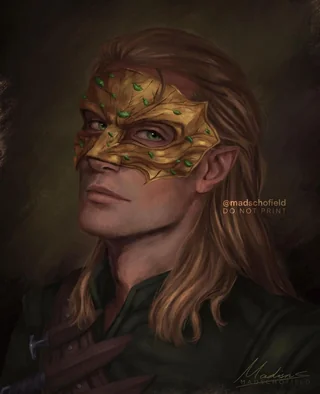
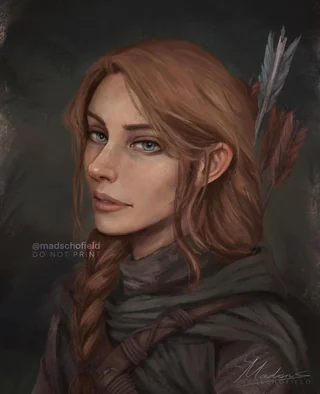
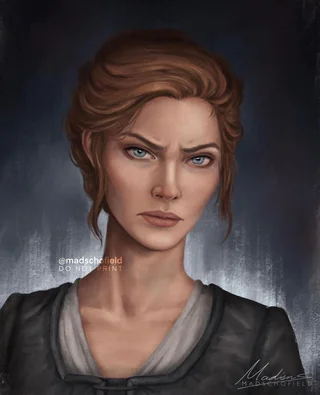
Featured character art by @madschofield
how it stays spoiler-safe
The art keeps pace with your reading.
Set your current chapter and everything stays behind a gate until you reach it. Nothing ahead leaks — by design, enforced on the server.
Chapter-locked visuals
Art and character designs reveal themselves chapter by chapter, exactly as far as you've read — never a page sooner.
Safe discussions
Talk with people at the same point in the story. No future-chapter ambushes.
Curated by readers
Volunteer mods tie every piece to the right chapter, so the gate stays accurate and the library keeps growing.
built by the community
A platform for the people who love books.
marginalia exists to showcase independent artists and authors — and to give every reader a spoiler-safe way to enjoy their work.
For artists
A platform to show your work — credited, tied to the right chapter, and found by readers who are looking for exactly it.
For authors
Gather all the art for your book in one place — a spoiler-safe home indie authors can send their readers to.
For readers
Discover art and join discussions about your current read, without a single page of what's coming next.
contribute
Three ways to join in.
Sign up and you can start building marginalia right away — no mod status required. Everything stays spoiler-safe, and every image you upload is reviewed by a moderator before it goes live.
Add books to the library
Search any title and add it in a couple of taps, giving its art and discussions a home.
Contribute art & comments
Upload art and join the conversation. Your images go to the moderators for review before they appear — so nothing spoils a reader.
Apply to be a mod
Mods do everything above and more: they review submitted images and can add art directly. Apply to be a mod →
how it works
Read, unlock, discuss.
Choose your book
Find your current read in the library — or add it in a couple of taps.
Set your current chapter
Tell marginalia how far you've read. That sets your spoiler line.
Explore safely
Browse art and discussions — all locked to where you are.
questions
Frequently asked.
What is marginalia?
Marginalia are the notes, sketches, and scribbles readers leave in a book's margins — and that's the spirit here. marginalia is a community-driven home for the art and discussion that grows up around the books you love, kept in step with how far you've read, so nothing ahead is spoiled.
Is it free?
Yes. Browsing books, viewing art, and joining discussions are all free.
What does “spoiler-safe” actually mean?
You set the chapter you've read to. Any art or discussion from later chapters stays locked until you reach it — and the gate is enforced on the server, not just hidden in the page.
I'm an independent artist — can I share my work here?
Absolutely. marginalia is built to give indie artists a place to show their work, credited and tied to the right chapter. Apply to be a mod to start adding art.
I'm an author — can I gather my book's art in one place?
Yes. Independent authors can bring all the art for their book together in a single spoiler-safe home for their readers.
I'm an artist or author and I don't want my book or art featured here.
Just let us know and we'll take it down promptly — email peterfazon@gmail.com.
Help build the margins.
Artist, author, or reader — marginalia is built by its community. Submit an application to become a mod, add spoiler-safe art, and help shape the home for the books you love.